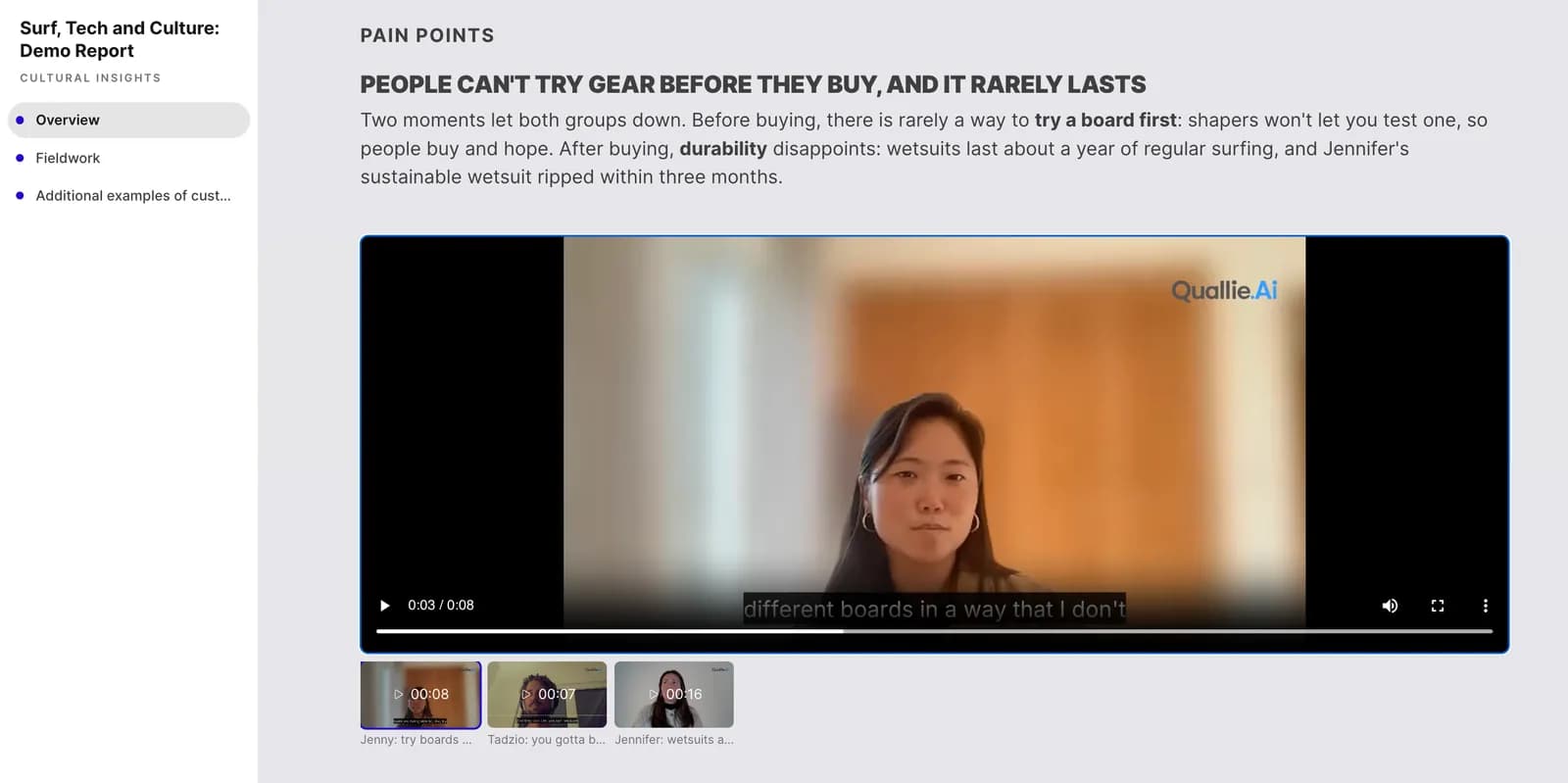
Bring your Quallie.Ai research into the AI assistant you already use. Ask about your interviews and build reports and clips in a conversation.
What you can do
- Connect Claude or ChatGPT to your workspace once, in a few clicks.
- Ask about quotes, transcripts, participant summaries, the codebook, the Questions grid, the discussion guide and the documents uploaded to a project.
- Draft a report that follows your report guideline, with your brand colours, logos and house rules.
- Find the key moments and turn them into clips and reels.
- Ask Claude to turn a report into a PowerPoint presentation.
How it works
Connect Claude or ChatGPT
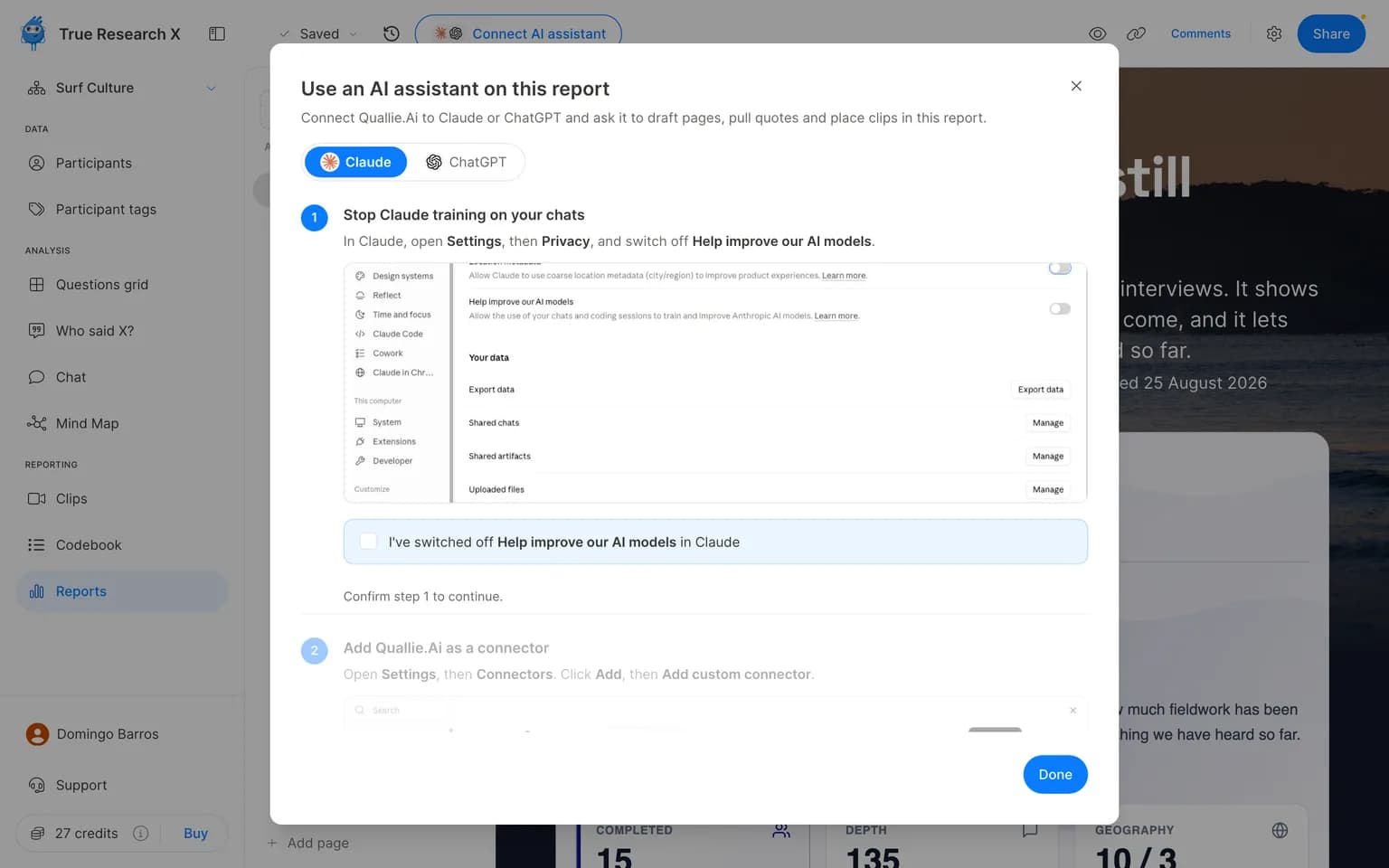
You connect from Reports, which is enabled per workspace; if Reports is locked in the side menu, contact us through Support in the side menu. Quallie.Ai walks you through each step for the assistant you choose. As part of setup you switch off the assistant's model-training setting and confirm it in the dialog, and you only need to connect once.
- Open a project and click Reports in the side menu.
- Click Connect AI assistant.
- Choose Claude or ChatGPT and follow its steps.
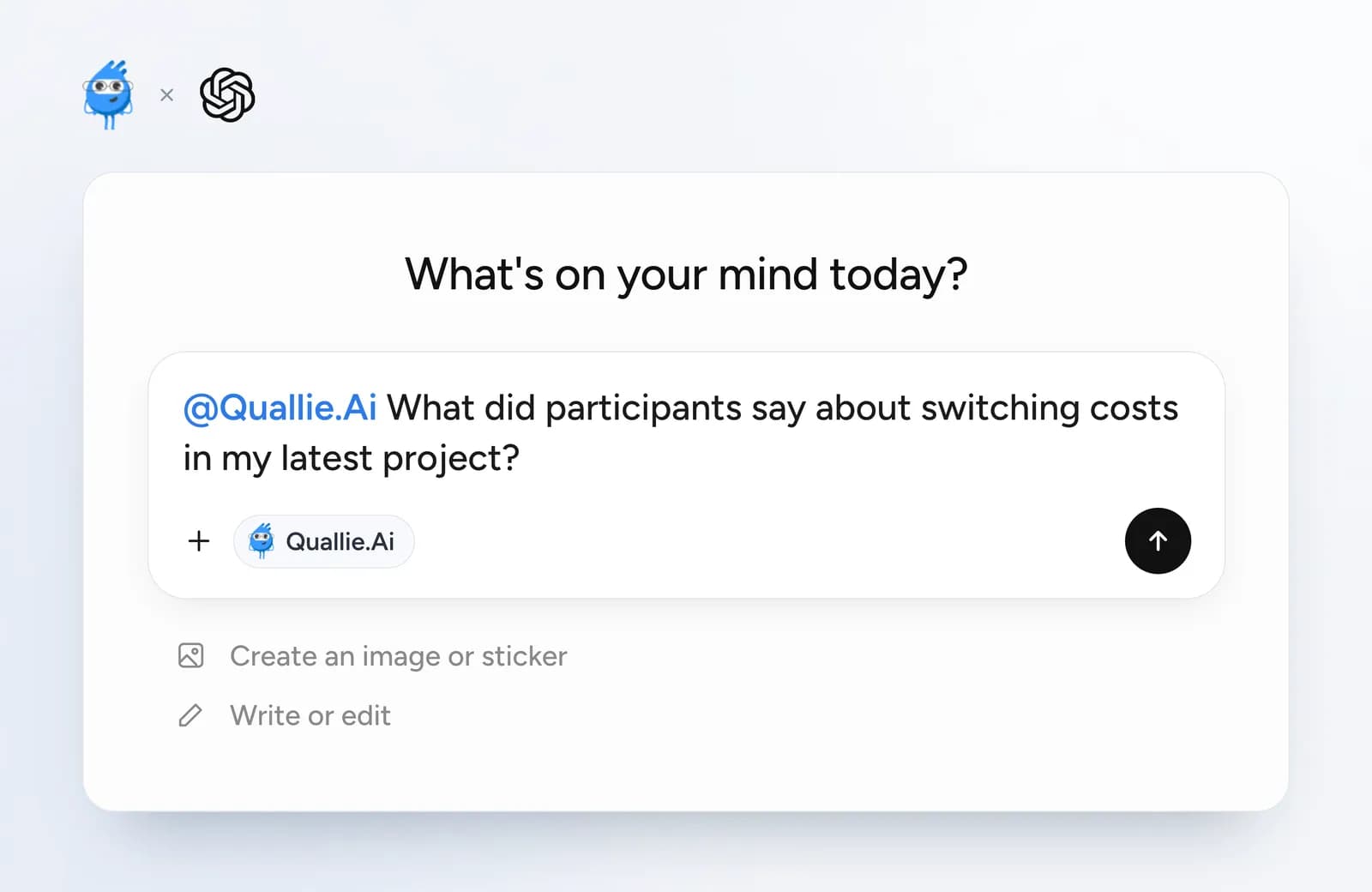
Ask about your research
Once connected, your assistant reads the research in your projects: the transcripts, each participant's summary, and the quotes behind every answer. In a project with a codebook it reads the codes and the excerpts coded to each one, and it reads the Questions grid with its answers and overviews. It also reads the project's discussion guide and the PDF documents uploaded to the project, so it knows what the study set out to learn. It works from your codebook, grid, guide and documents without changing your codes, answers or files, so you can ask follow-up questions in plain language and get answers grounded in what participants said.
Build reports and clips in a conversation
Describe the report you need and your assistant drafts it page by page in Quallie.Ai, following the report guideline for your brand colours, logos and house rules. It can find the moments that matter and create clips and reels from them, ready to drop into the story. You then refine everything in Quallie.Ai, where your team can review and share it. You can also ask Claude to turn a report into a PowerPoint presentation.